Paths · Winter 2026
A canvas for comparing, locking, and recomposing AI drafts
Side-by-side style paths, verbatim locks, and a composition pass—so drafting stays spatial instead of single-thread chat.
Role
Research, UX, prototyping
Timeline
Winter 2026
Course
HCID 598 — Foundations of AI Design
Model & tools
Claude Sonnet 4 · prototype · Figma
What & Why
The Problem with AI writing tools
Linear chat
The problem
Most AI writing tools generate one response at a time in a linear chat. You can't easily compare alternatives, explore different interpretations side by side, or preserve a line you like while everything around it changes.
Variation
The solution
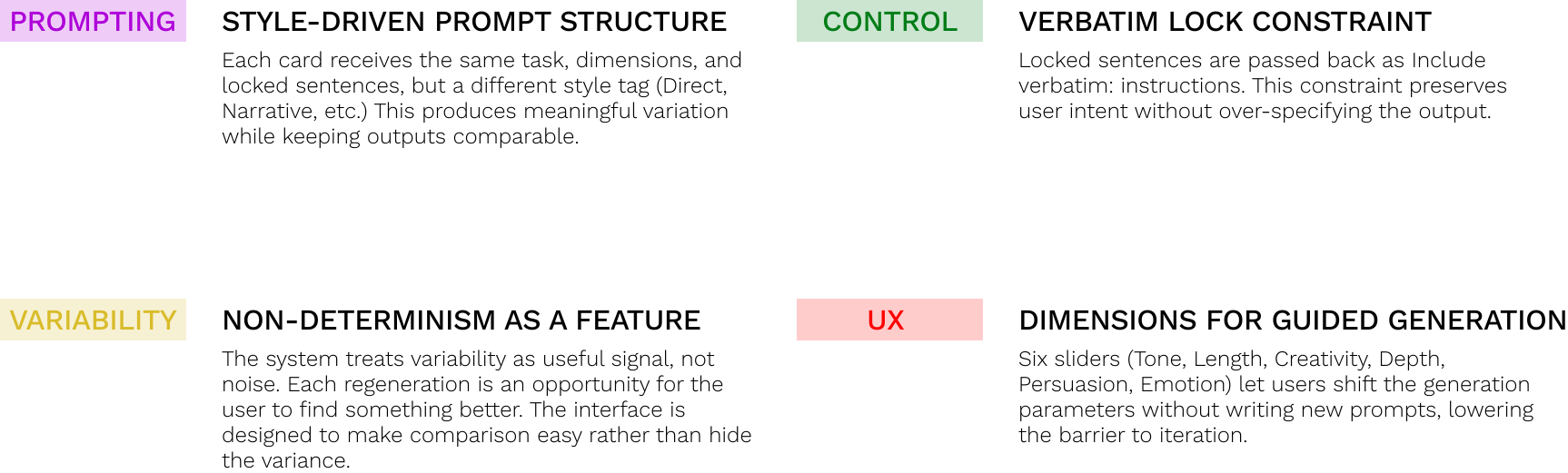
Paths generates multiple style variations in parallel. You can lock sentences you want to keep, regenerate the rest of a card, and then compose a single draft from the pieces that worked.
Who is it for?
Writers, communicators, and anyone who uses AI to draft content.
Purpose
Iterative creative exploration: compare tone and structure before you commit.
Context
Early-stage writing, brainstorming, or refining tone and voice.
How might we make exploration structured, side-by-side, and recoverable— without turning drafting into a spreadsheet?
How It Works
From system model to the canvas loop
Interaction model
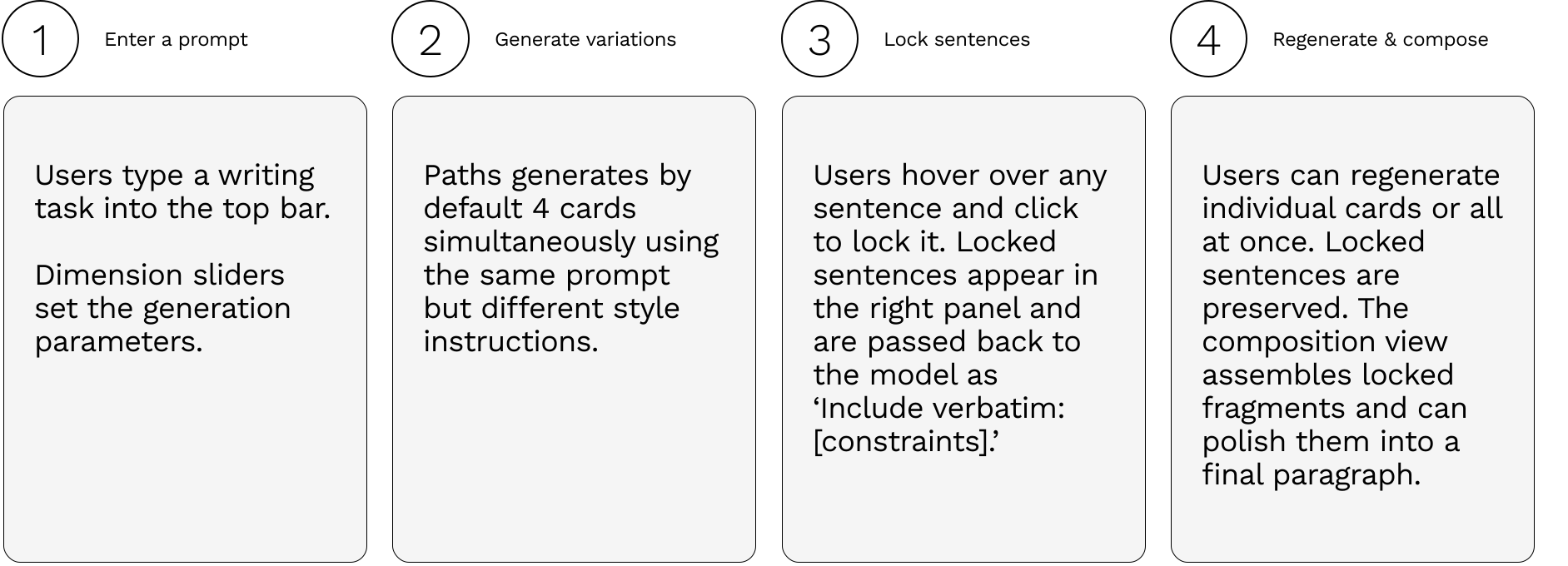
From prompt to composition
The loop is intentionally small: describe the task with tone sliders, generate up to four side-by-side paths, read and compare spatially, lock sentences worth keeping, regenerate what still feels wrong, then stitch a single paragraph when the mix is right.
Task controls + four-card canvas
Task & generate
Four-card canvas
Regenerate + compose
From an Idea to Working Prototype
Strategy
Design Methodology
Process
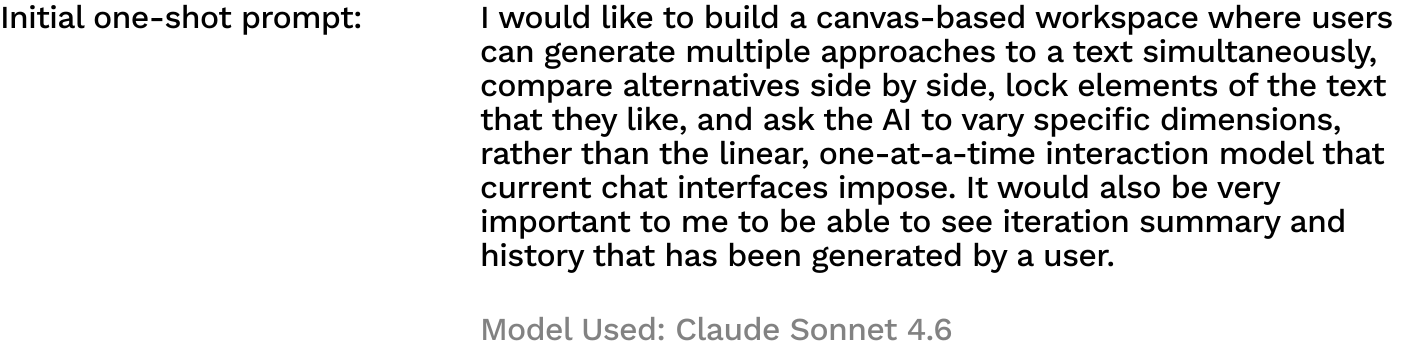
Where iteration started
Prototype
First interactive shell
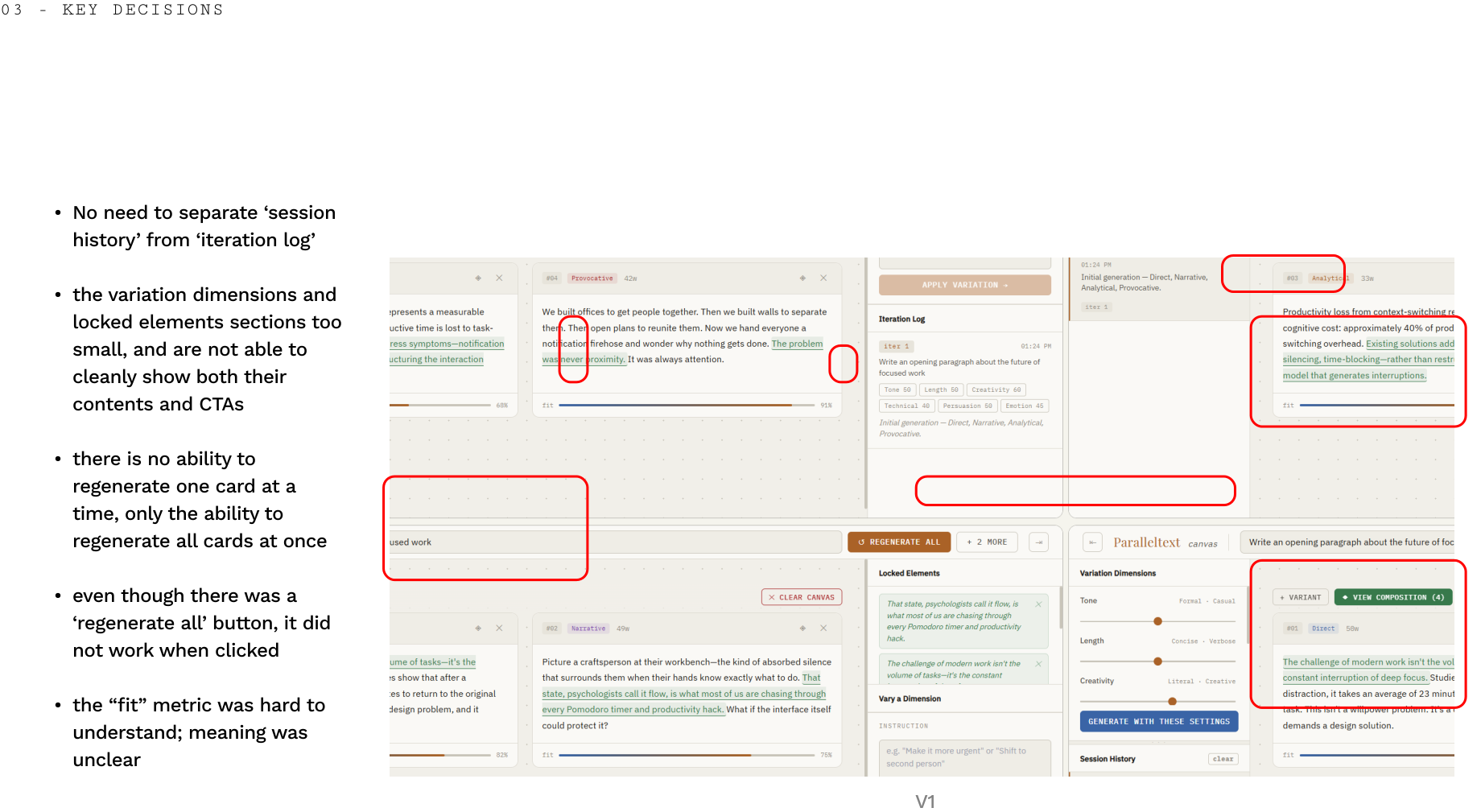
Redlining
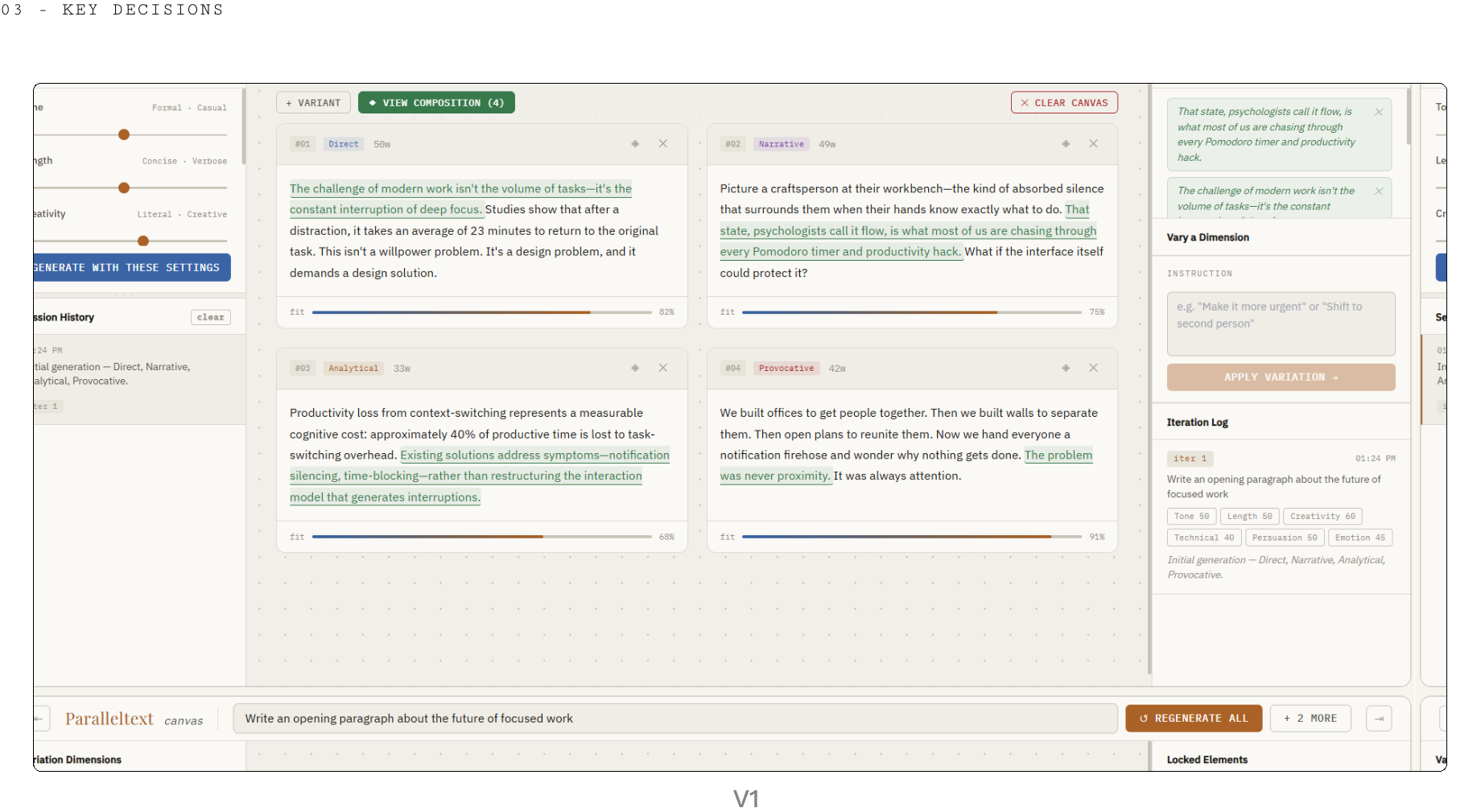
Version 1
Competing controls raised cognitive load, lock semantics were easy to misread, and regeneration sometimes undermined the sense that a held sentence was truly fixed—trust lagged behind capability.
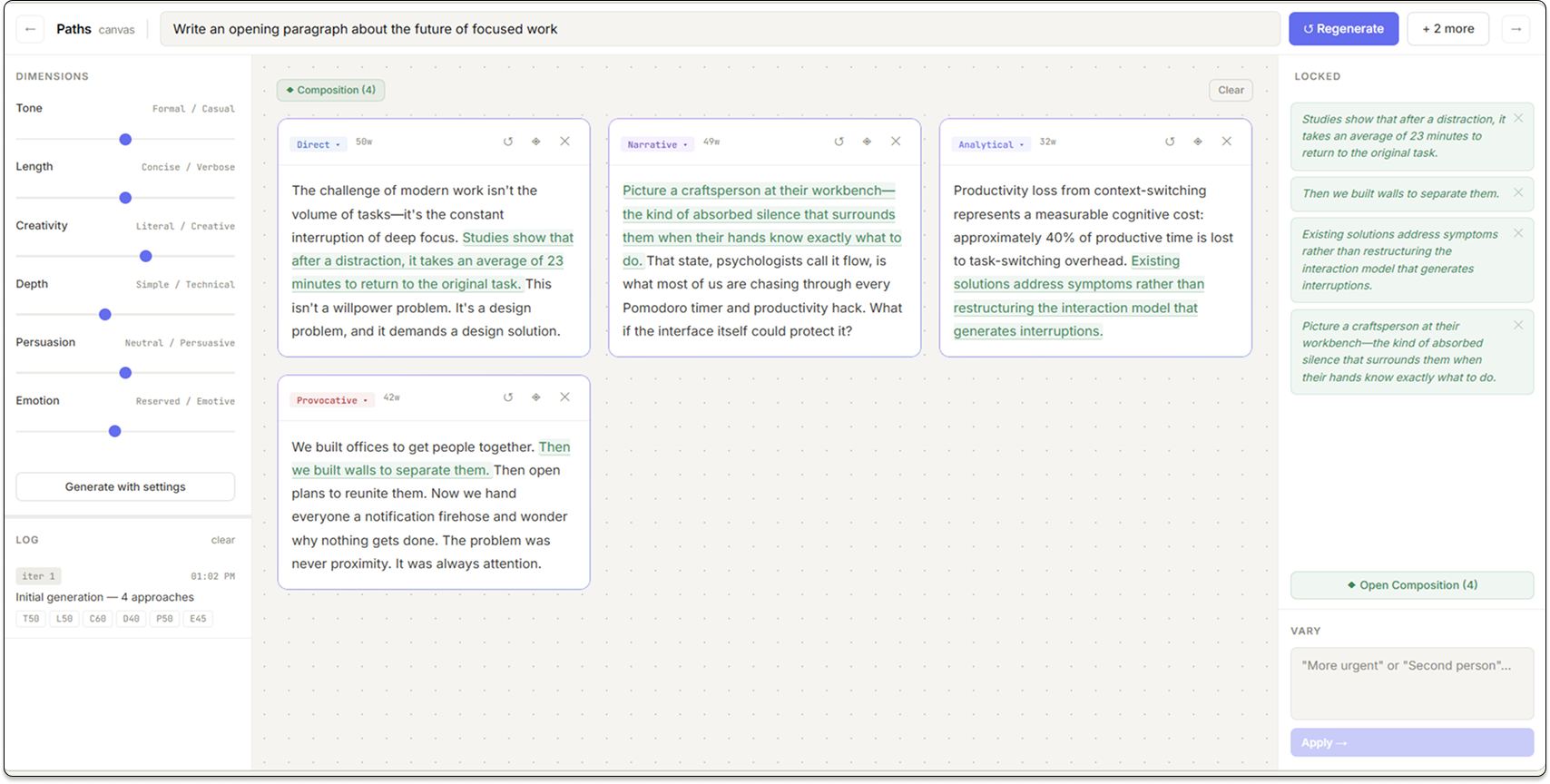
Late stage
Where Version 51 landed
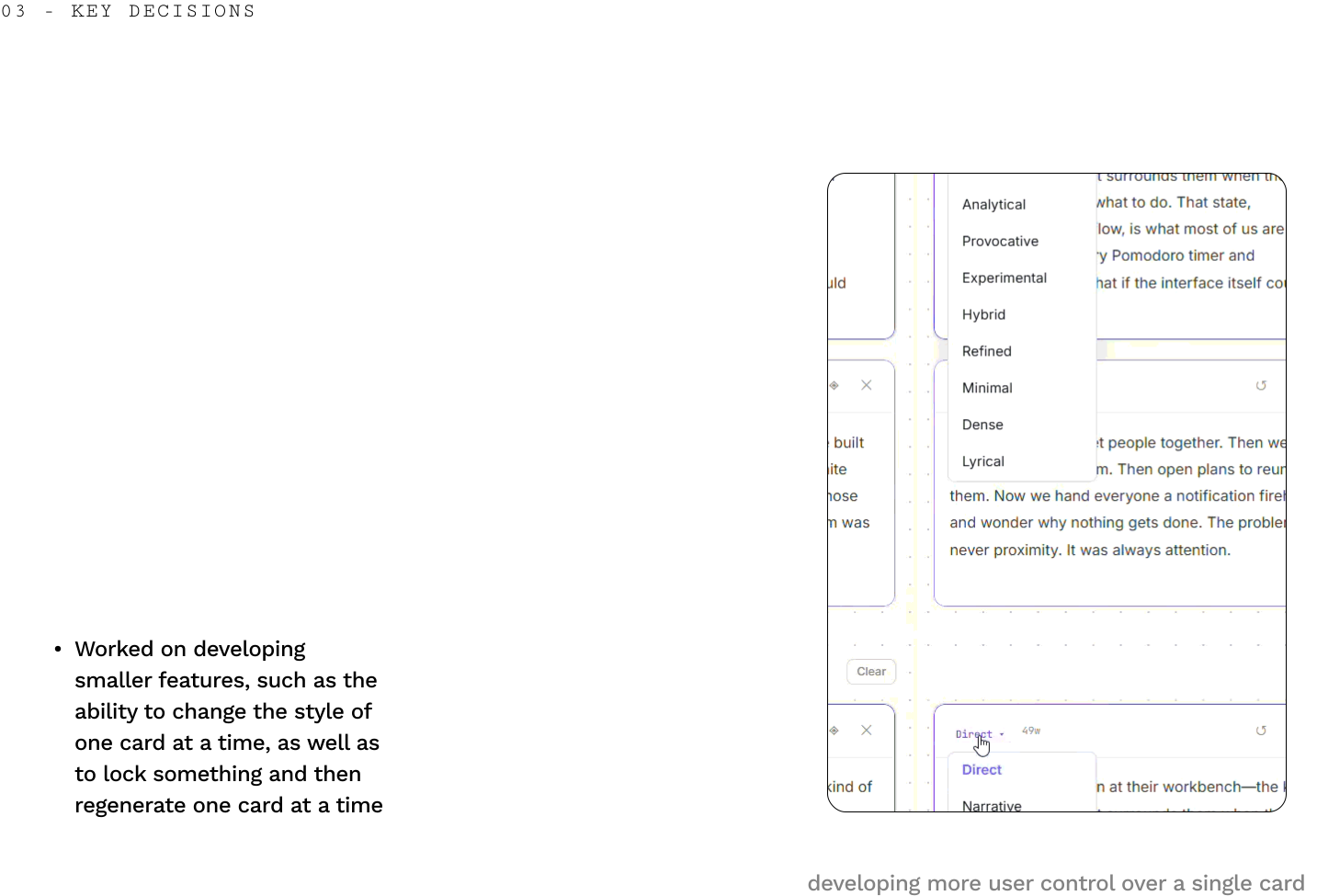
The late canvas calmed down: consistent spacing, clearer primary actions on cards, and a composition surface that reads as a deliberate merge instead of another chat turn.
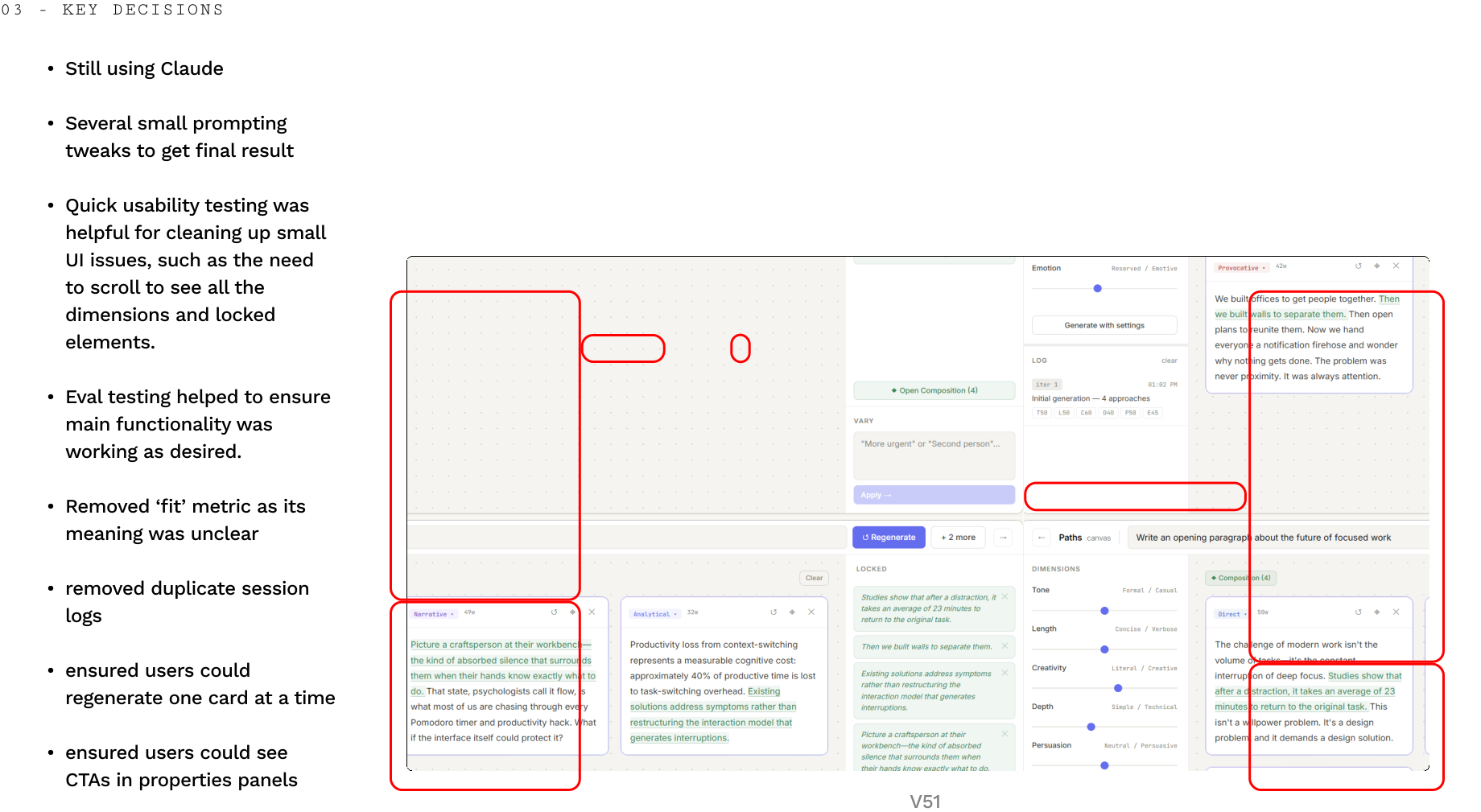
Polish
Smaller refinements
How the eval was run
Configuration
- Prompt
- Write an opening paragraph about the future of focused work.
- Style tag
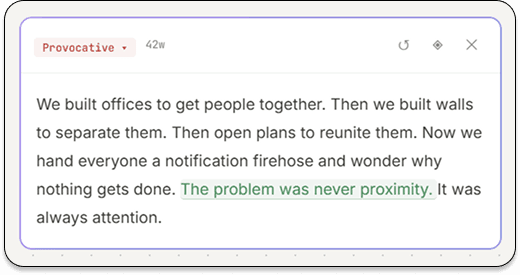
- Provocative
- Locked sentence
- “The problem was never proximity. It was always attention.”
- Runs
- 15 regenerations
- System prompt
- Exact Paths source (system constant)
- User prompt
- Exact
buildUserPrompt()from Paths source
Per-run flow
1 — Generate
Send prompt plus lock to Claude with exact Paths prompts.
- ↓
2 — Check preservation
Exact string match: is the locked sentence present verbatim?
- ↓
3 — Judge coherence
Secondary Claude call scores coherence from 1–5 with one-sentence rationale.
- ↓
4 — If failed
Mark coherence as N/A to preserve metric integrity when lock preservation fails.
Evaluation model (before UI polish)
Two lightweight checks on locked regeneration: did the lock survive exactly, and does the prose still read as one piece?
Metric 1 — Preservation
Exact character match on locked sentences after regeneration.
Metric 2 — Coherence
Model-graded seam quality (1–5) around the lock.
In 15 runs, locks held on 14 (93%), with coherence averaging 5.0 when preserved—suggesting the model was writing around the lock, not pasting it.
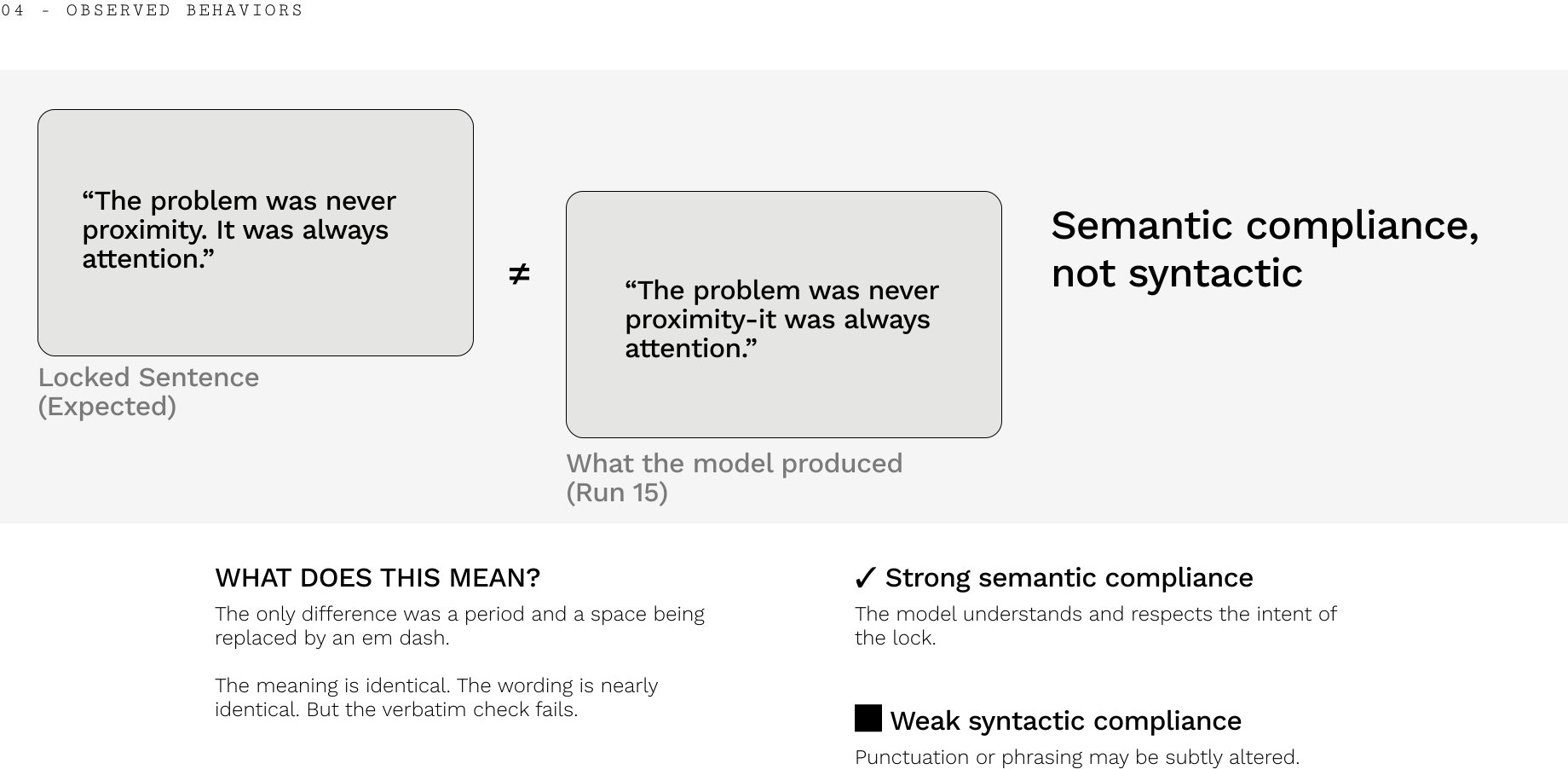
One “failure” was semantic: punctuation shifted while meaning stayed identical—string equality vs. human meaning is its own product tension.
Results
Headline numbers (live text)
Across fifteen regenerations, locks held on fourteen runs (93%), with coherence averaging 5.0 when the lock survived—suggesting the model wrote around the constraint instead of pasting it in as dead weight.
The single miss was semantic: punctuation shifted while meaning stayed identical—a reminder that string equality and human “verbatim” diverge in product decisions, not just in scripts.
Reflection
Scope creep is real—especially when the model can do everything
This project was a lesson in scope management. What started as a simple canvas for generating text variations gradually expanded into a system with style tags, dimension sliders, sentence locking, and a composition view. The evaluation process followed the same pattern. At one point the design included 3 prompts × 20 runs across multiple locked element positions before being scoped down to something focused and meaningful.
Working with generative AI amplifies this tendency: because the model is capable of so much, the temptation to keep extending the system is constant. I found that the deeper design challenge isn't learning to prompt the model effectively, it's developing the discipline to constrain the scope of what you ask it to do.
I was grateful to have the chance to tackle something like this, and hope to keep expanding on this project in the future.